How to Animate Your Photos for Free Using Wan.video (Step-by-Step Guide)
Learn how to bring your photos to life using the free Photo Animate feature on Wan.video. Step-by-step tutorial with screenshots, tips, and real results.
AI Tools
Oct 11, 2025
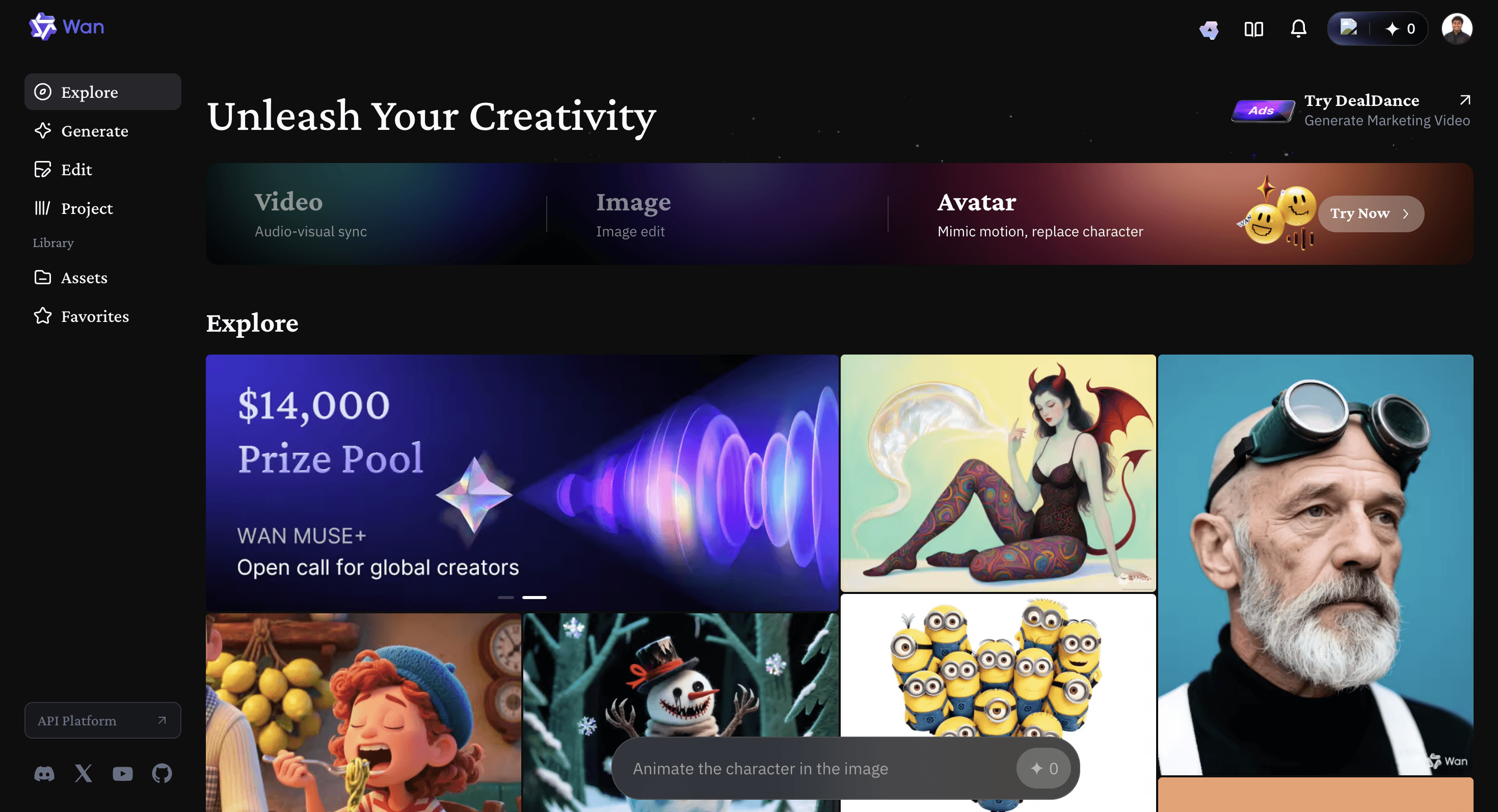
Try it out for yourself: 👉 https://wan.video
✨ Animate Your Photos for Free Using Wan.video
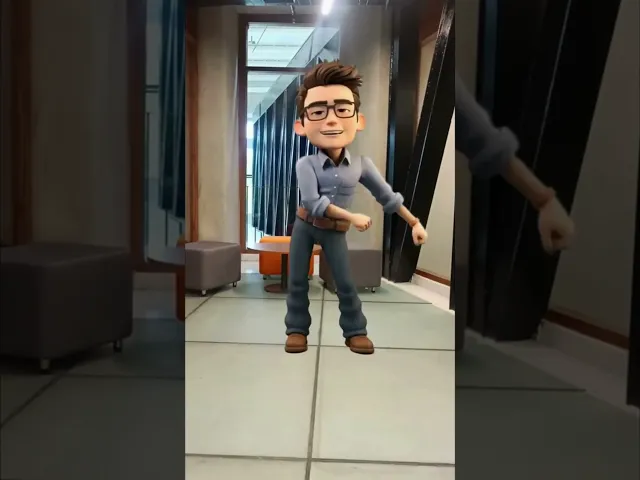
If you’ve ever wanted to turn a simple photo into a moving, lifelike avatar — Wan.video makes it surprisingly easy (and free!). I recently tested their Photo Animate feature, and the result was so impressive that I made a short reel showcasing it 👇 (watch below).
In this blog, I’ll walk you through the exact steps to use the Photo Animate tool on Wan.video, along with a few tips to get the best results. It does take some time to process, but trust me — it’s worth the wait.
🪄 Step-by-Step Guide to Using Photo Animate on Wan.video
Here’s how you can create your own animated avatar for free:
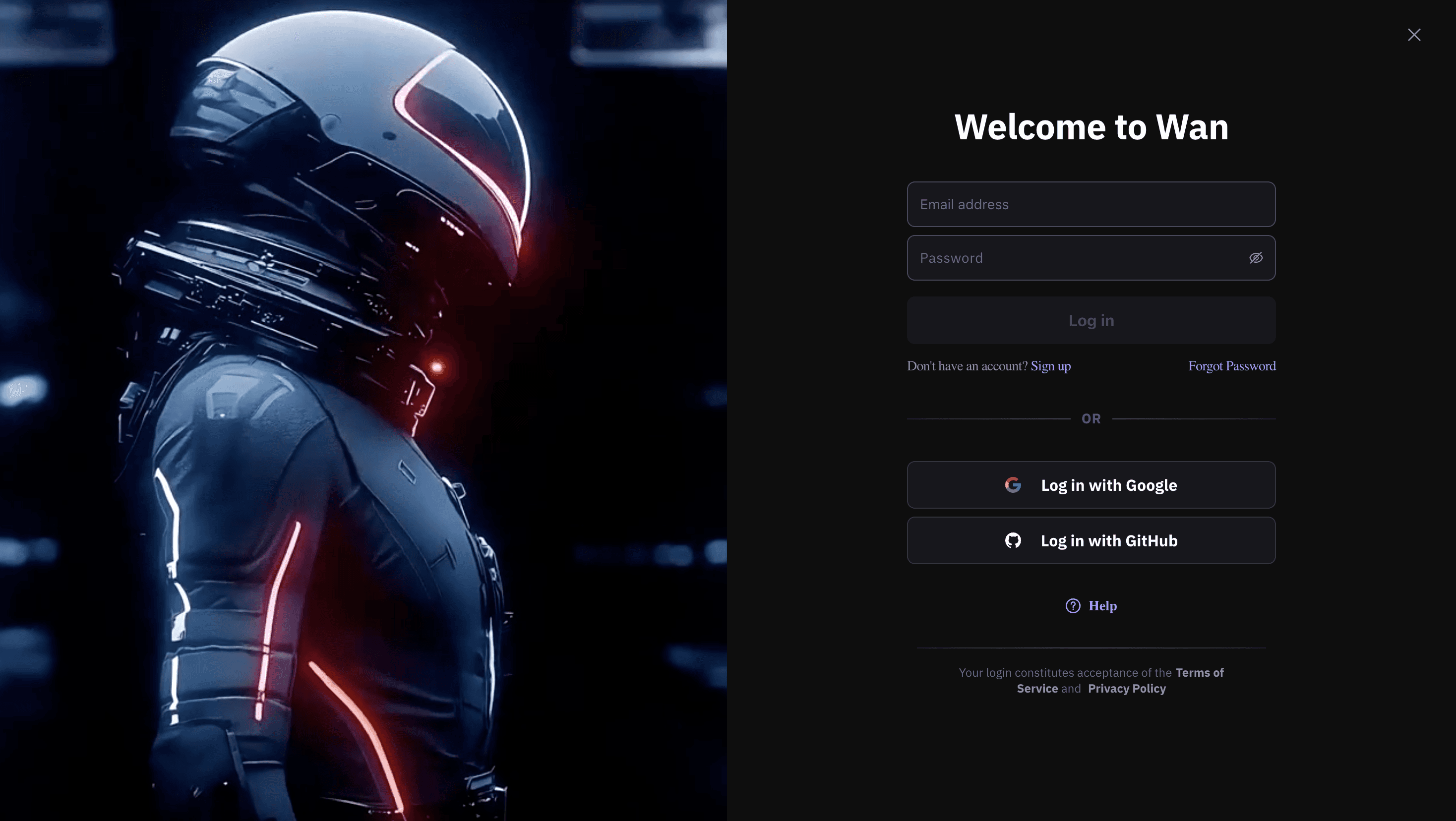
Step 1: Log in to Wan.video
Go to Wan.video and create an account or log in if you already have one.
Step 2: Click on “Media” → “Avatar”
Once logged in, navigate to the Media section from the sidebar and select Avatar.
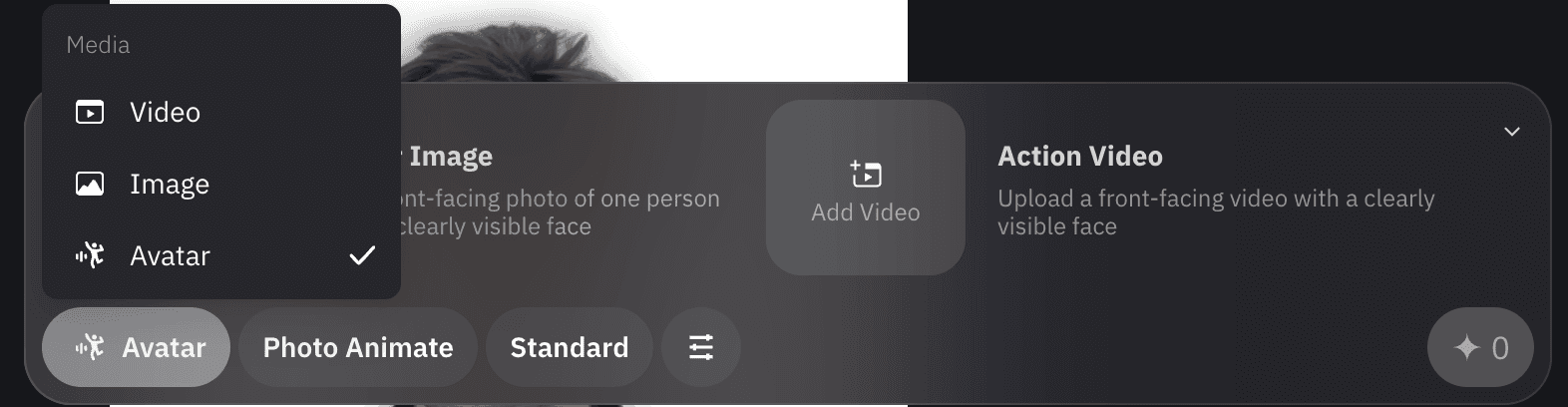
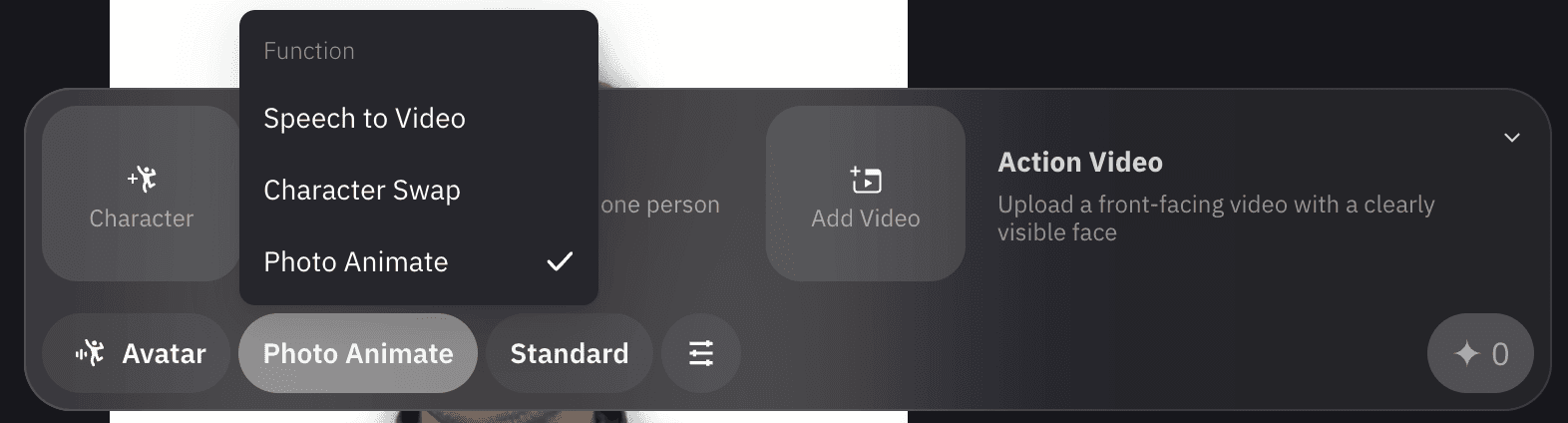
Step 3: Select “Photo Animate” in the Functions Section
In the Functions panel, choose Photo Animate. This is the tool that brings still photos to life by animating facial expressions and subtle movements.
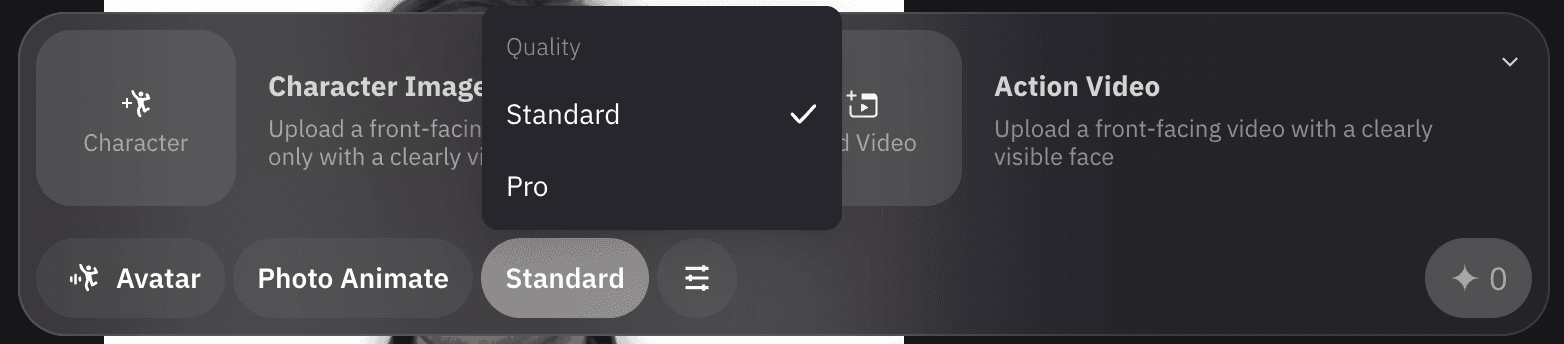
Step 4: Choose Quality (Standard or Pro)
You can select between Standard and Pro quality.
Standard → Perfect for quick previews or personal use
Pro → Gives more realistic animations, but takes a bit longer
The best part? Both options are currently free to generate!
Step 5: Generate and Wait
Click Generate, and the tool will start processing your image. This part can take some time, depending on the server load — sometimes several minutes. So don’t worry if it’s not instant.
Once it’s done, you’ll have a beautifully animated version of your photo ready to download or use in your content.
📌 Tips for Best Results
Use a clear, front-facing photo with good lighting for the most natural animation.
Avoid blurry or side-profile images.
Be patient — the free tool takes time, but the results are usually excellent.
🧠 Final Thoughts
The Photo Animate feature on Wan.video is an incredible free tool for creators, social media enthusiasts, or anyone curious to see their photos come alive. Though the generation time can be long, the output quality (especially Pro) is impressive.
I’ll be adding the reel I created using this tool below so you can see exactly what the results look like 👇
Try it out for yourself: 👉 https://wan.video
More to Discover

How to Animate Your Photos for Free Using Wan.video (Step-by-Step Guide)
Learn how to bring your photos to life using the free Photo Animate feature on Wan.video. Step-by-step tutorial with screenshots, tips, and real results.
AI Tools
Oct 11, 2025
Try it out for yourself: 👉 https://wan.video
✨ Animate Your Photos for Free Using Wan.video
If you’ve ever wanted to turn a simple photo into a moving, lifelike avatar — Wan.video makes it surprisingly easy (and free!). I recently tested their Photo Animate feature, and the result was so impressive that I made a short reel showcasing it 👇 (watch below).
In this blog, I’ll walk you through the exact steps to use the Photo Animate tool on Wan.video, along with a few tips to get the best results. It does take some time to process, but trust me — it’s worth the wait.
🪄 Step-by-Step Guide to Using Photo Animate on Wan.video
Here’s how you can create your own animated avatar for free:
Step 1: Log in to Wan.video
Go to Wan.video and create an account or log in if you already have one.
Step 2: Click on “Media” → “Avatar”
Once logged in, navigate to the Media section from the sidebar and select Avatar.
Step 3: Select “Photo Animate” in the Functions Section
In the Functions panel, choose Photo Animate. This is the tool that brings still photos to life by animating facial expressions and subtle movements.
Step 4: Choose Quality (Standard or Pro)
You can select between Standard and Pro quality.
Standard → Perfect for quick previews or personal use
Pro → Gives more realistic animations, but takes a bit longer
The best part? Both options are currently free to generate!
Step 5: Generate and Wait
Click Generate, and the tool will start processing your image. This part can take some time, depending on the server load — sometimes several minutes. So don’t worry if it’s not instant.
Once it’s done, you’ll have a beautifully animated version of your photo ready to download or use in your content.
📌 Tips for Best Results
Use a clear, front-facing photo with good lighting for the most natural animation.
Avoid blurry or side-profile images.
Be patient — the free tool takes time, but the results are usually excellent.
🧠 Final Thoughts
The Photo Animate feature on Wan.video is an incredible free tool for creators, social media enthusiasts, or anyone curious to see their photos come alive. Though the generation time can be long, the output quality (especially Pro) is impressive.
I’ll be adding the reel I created using this tool below so you can see exactly what the results look like 👇
Try it out for yourself: 👉 https://wan.video
More to Discover
How to Animate Your Photos for Free Using Wan.video (Step-by-Step Guide)
Learn how to bring your photos to life using the free Photo Animate feature on Wan.video. Step-by-step tutorial with screenshots, tips, and real results.
AI Tools
Oct 11, 2025
Try it out for yourself: 👉 https://wan.video
✨ Animate Your Photos for Free Using Wan.video
If you’ve ever wanted to turn a simple photo into a moving, lifelike avatar — Wan.video makes it surprisingly easy (and free!). I recently tested their Photo Animate feature, and the result was so impressive that I made a short reel showcasing it 👇 (watch below).
In this blog, I’ll walk you through the exact steps to use the Photo Animate tool on Wan.video, along with a few tips to get the best results. It does take some time to process, but trust me — it’s worth the wait.
🪄 Step-by-Step Guide to Using Photo Animate on Wan.video
Here’s how you can create your own animated avatar for free:
Step 1: Log in to Wan.video
Go to Wan.video and create an account or log in if you already have one.
Step 2: Click on “Media” → “Avatar”
Once logged in, navigate to the Media section from the sidebar and select Avatar.
Step 3: Select “Photo Animate” in the Functions Section
In the Functions panel, choose Photo Animate. This is the tool that brings still photos to life by animating facial expressions and subtle movements.
Step 4: Choose Quality (Standard or Pro)
You can select between Standard and Pro quality.
Standard → Perfect for quick previews or personal use
Pro → Gives more realistic animations, but takes a bit longer
The best part? Both options are currently free to generate!
Step 5: Generate and Wait
Click Generate, and the tool will start processing your image. This part can take some time, depending on the server load — sometimes several minutes. So don’t worry if it’s not instant.
Once it’s done, you’ll have a beautifully animated version of your photo ready to download or use in your content.
📌 Tips for Best Results
Use a clear, front-facing photo with good lighting for the most natural animation.
Avoid blurry or side-profile images.
Be patient — the free tool takes time, but the results are usually excellent.
🧠 Final Thoughts
The Photo Animate feature on Wan.video is an incredible free tool for creators, social media enthusiasts, or anyone curious to see their photos come alive. Though the generation time can be long, the output quality (especially Pro) is impressive.
I’ll be adding the reel I created using this tool below so you can see exactly what the results look like 👇
Try it out for yourself: 👉 https://wan.video