🎥 Turn a Photo Into a Cinematic Motion-Freeze AI Video
If you want a high-end cinematic street style video using only one photo, here’s a quick method using Gemini + Hailuo AI. Zero editing skills required.
AI Tools
Dec 5, 2025
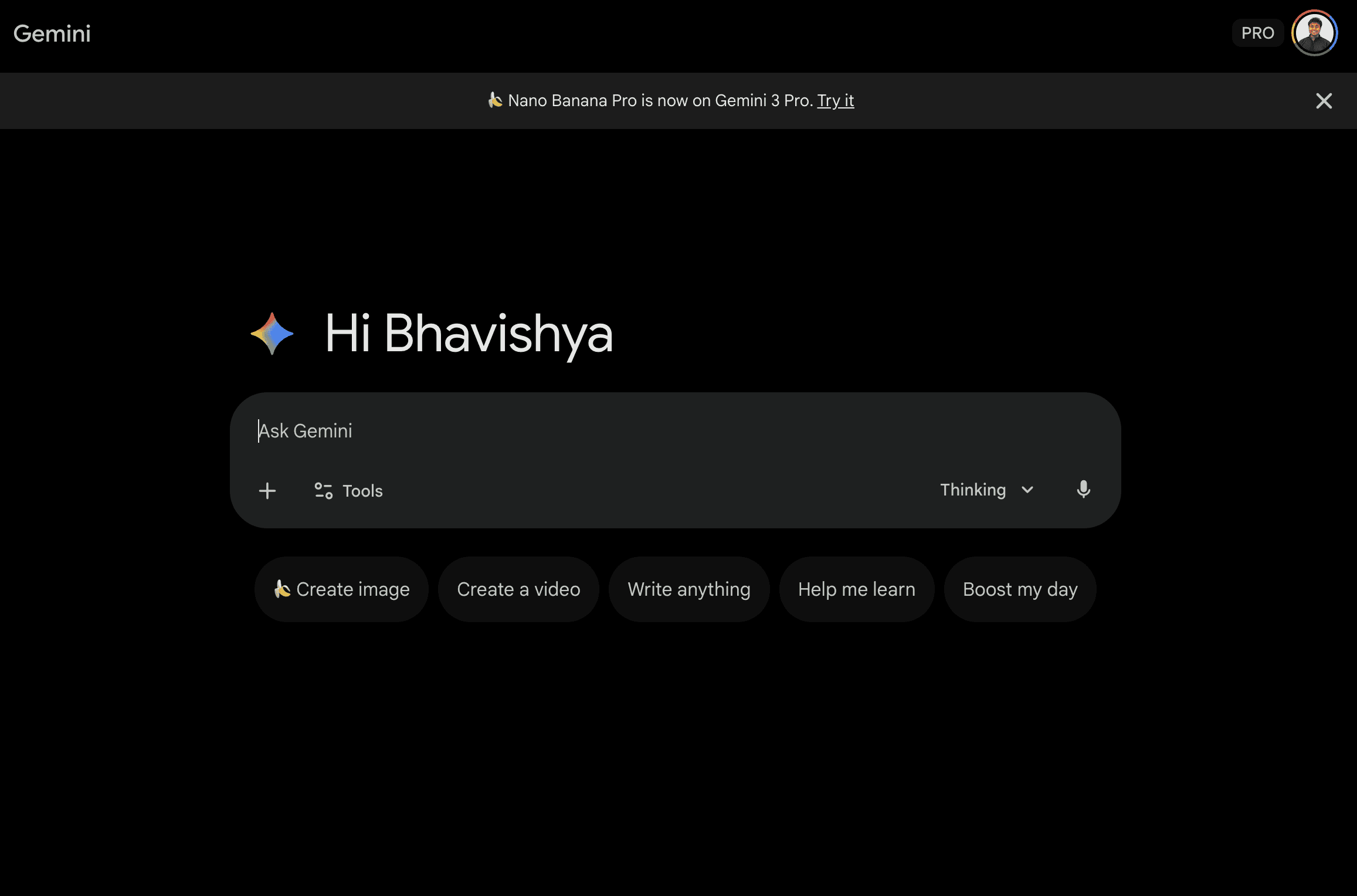
Step 1 — Create the Cinematic Photo (Gemini)
1️⃣ Open Google Gemini
2️⃣ Upload your reference image
3️⃣ Paste this prompt ↓
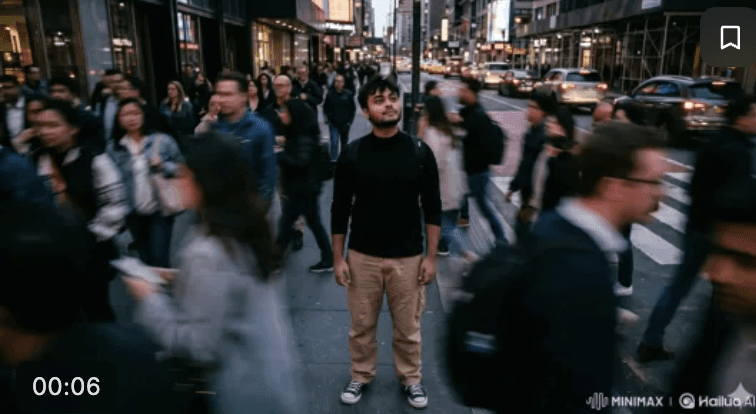
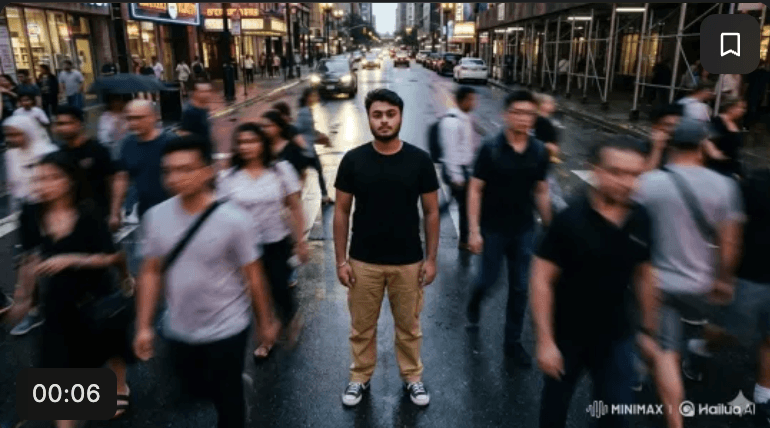
Use the same person from the reference image. Cinematic street photography featuring the same subject, frozen in motion and standing confidently in a busy urban street. Maintain their exact face, identity, hairstyle, and overall appearance. Capture the scene from an overhead portrait angle with a moody city aesthetic, soft ambient lighting, rich contrast, subtle grain, and a 35mm film look. They wear streetwear: a black fitted top, cargo pants with side pockets, and black-and-white low-top sneakers. Surround them with a motion-blurred rushing crowd, creating dramatic contrast with their calm expression. Keep the subject sharply in focus with shallow depth of field. Magazine-quality composition, 9:16 ratio.
4️⃣ Download the generated photo
You now have a stunning cinematic portrait.
Step 2 — Animate It Into a Motion Video (Hailuo AI)
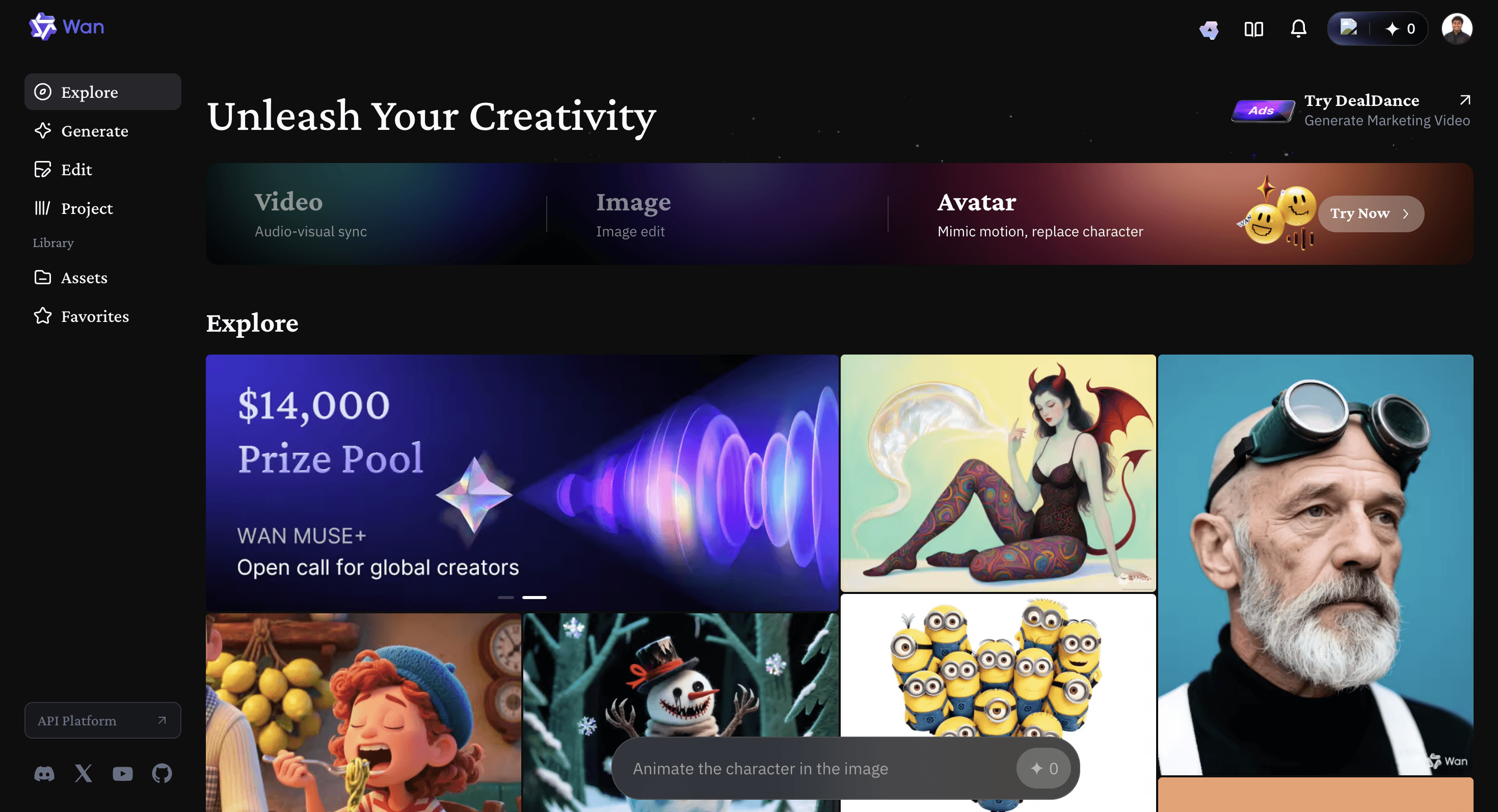
1️⃣ Go to hailuoai.video
2️⃣ Upload the Gemini photo
3️⃣ Use this animation prompt ↓
Light streaks rushing by, vibrant city energy, dynamic motion all around. The subject remains clear, sharp, and perfectly still while the surroundings emphasize speed and motion blur, creating a dramatic contrast between stillness and movement. Cinematic, high-vibe urban aesthetic with artistic composition and visually striking depth.
4️⃣ Generate the video and download it!
📲 Final Tip
Post your cinematic video on Instagram and tag me — I’ll feature the best ones on my story! 😎🔥
Save this tutorial → Try it today → Show your creativity 🎬✨
More to Discover

🎥 Turn a Photo Into a Cinematic Motion-Freeze AI Video
If you want a high-end cinematic street style video using only one photo, here’s a quick method using Gemini + Hailuo AI. Zero editing skills required.
AI Tools
Dec 5, 2025
Step 1 — Create the Cinematic Photo (Gemini)
1️⃣ Open Google Gemini
2️⃣ Upload your reference image
3️⃣ Paste this prompt ↓
Use the same person from the reference image. Cinematic street photography featuring the same subject, frozen in motion and standing confidently in a busy urban street. Maintain their exact face, identity, hairstyle, and overall appearance. Capture the scene from an overhead portrait angle with a moody city aesthetic, soft ambient lighting, rich contrast, subtle grain, and a 35mm film look. They wear streetwear: a black fitted top, cargo pants with side pockets, and black-and-white low-top sneakers. Surround them with a motion-blurred rushing crowd, creating dramatic contrast with their calm expression. Keep the subject sharply in focus with shallow depth of field. Magazine-quality composition, 9:16 ratio.
4️⃣ Download the generated photo
You now have a stunning cinematic portrait.
Step 2 — Animate It Into a Motion Video (Hailuo AI)
1️⃣ Go to hailuoai.video
2️⃣ Upload the Gemini photo
3️⃣ Use this animation prompt ↓
Light streaks rushing by, vibrant city energy, dynamic motion all around. The subject remains clear, sharp, and perfectly still while the surroundings emphasize speed and motion blur, creating a dramatic contrast between stillness and movement. Cinematic, high-vibe urban aesthetic with artistic composition and visually striking depth.
4️⃣ Generate the video and download it!
📲 Final Tip
Post your cinematic video on Instagram and tag me — I’ll feature the best ones on my story! 😎🔥
Save this tutorial → Try it today → Show your creativity 🎬✨
More to Discover
🎥 Turn a Photo Into a Cinematic Motion-Freeze AI Video
If you want a high-end cinematic street style video using only one photo, here’s a quick method using Gemini + Hailuo AI. Zero editing skills required.
AI Tools
Dec 5, 2025
Step 1 — Create the Cinematic Photo (Gemini)
1️⃣ Open Google Gemini
2️⃣ Upload your reference image
3️⃣ Paste this prompt ↓
Use the same person from the reference image. Cinematic street photography featuring the same subject, frozen in motion and standing confidently in a busy urban street. Maintain their exact face, identity, hairstyle, and overall appearance. Capture the scene from an overhead portrait angle with a moody city aesthetic, soft ambient lighting, rich contrast, subtle grain, and a 35mm film look. They wear streetwear: a black fitted top, cargo pants with side pockets, and black-and-white low-top sneakers. Surround them with a motion-blurred rushing crowd, creating dramatic contrast with their calm expression. Keep the subject sharply in focus with shallow depth of field. Magazine-quality composition, 9:16 ratio.
4️⃣ Download the generated photo
You now have a stunning cinematic portrait.
Step 2 — Animate It Into a Motion Video (Hailuo AI)
1️⃣ Go to hailuoai.video
2️⃣ Upload the Gemini photo
3️⃣ Use this animation prompt ↓
Light streaks rushing by, vibrant city energy, dynamic motion all around. The subject remains clear, sharp, and perfectly still while the surroundings emphasize speed and motion blur, creating a dramatic contrast between stillness and movement. Cinematic, high-vibe urban aesthetic with artistic composition and visually striking depth.
4️⃣ Generate the video and download it!
📲 Final Tip
Post your cinematic video on Instagram and tag me — I’ll feature the best ones on my story! 😎🔥
Save this tutorial → Try it today → Show your creativity 🎬✨